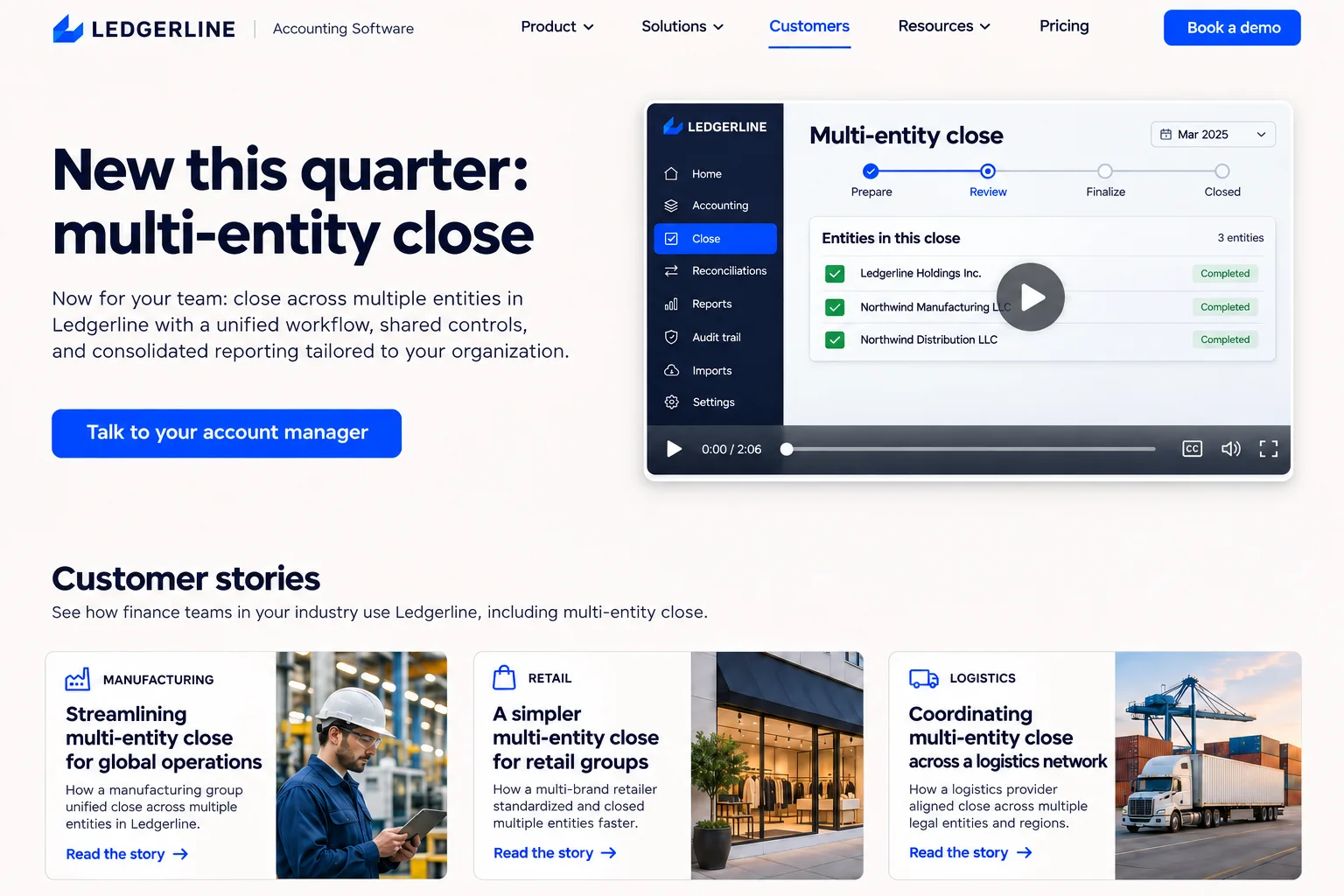
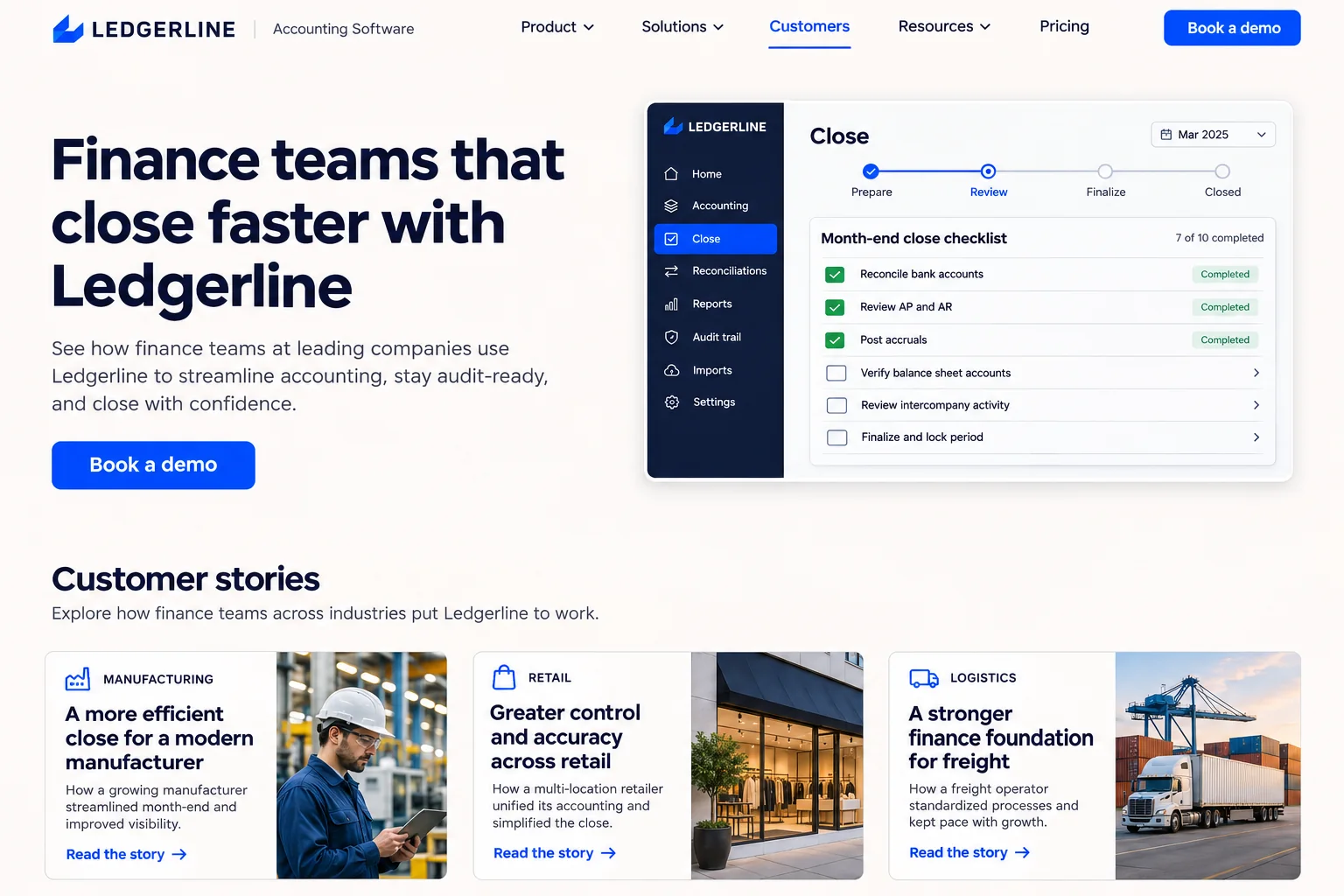
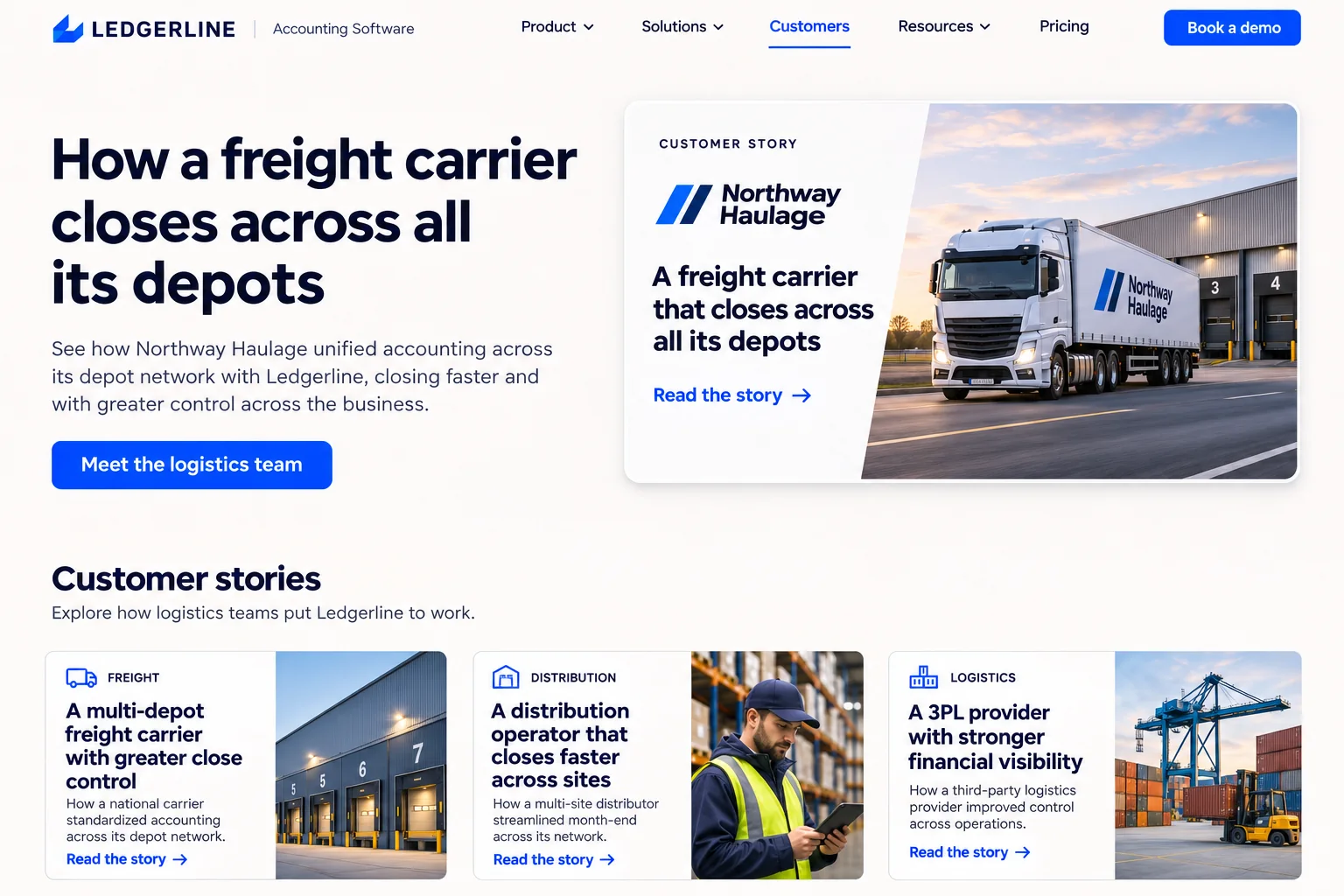
Ledgerline’s customers page lists its stories in a fixed order. Its imported account list has a segment on each row, and visitor identification is on. When a visit is matched to a company in “Logistics targets”, the page opens with the freight story and a meeting button. The unmatched majority sees the usual order.
The data behind every decision
Dynamite decides what each visitor sees from how they arrived, what they do on your site, and the data you connect.
No match
From every visit
Where they came from
Campaign and ad
Pages they viewed
Past visits
Device, location, time
Data you connect
De-anonymizer
Company and contact matchesNo company match, or a company that is not on the list
Your CRM and product data
Custom connectors
Install on any website with one line of JavaScript
Start with the need that brought this visitor here.
No match
Finance teams that close faster with Ledgerline
Matched target account
How a freight carrier closes across all its depots
Matched customer account
New this quarter: multi-entity close
Show the right example
Put the product, workflow or story they care about in view.
No match
Customer stories in their usual order
Matched target account
The Northway Haulage story, moved to the top of the page
Matched customer account
A short tour of the multi-entity release
A relevant next step
Choose the action that fits this visit. Measure relevant demo requests against the original.
No match
Book a demo
Matched target account
Meet the logistics team
Matched customer account
Talk to your account manager
The useful things first
Help each visitor find their starting point in the same site.
No match
Customer stories in their usual order
Matched target account
The Northway Haulage story, moved to the top of the page
Matched customer account
A short tour of the multi-entity release
No company match, or a company that is not on the list
Identified company matches a row in the “Logistics targets” segment
Identified company matches a row in the “Customers” segment
No company match, or a company that is not on the list
Identified company matches a row in the “Logistics targets” segment
Identified company matches a row in the “Customers” segment
Questions
Does uploading a lead list identify visitors?
No. A visit is linked to a row only when visitor identification matches the company, or when a data connector you host returns traits for a visitor your own system already knows.
Is a company match a person match?
No. It means the visit probably came from that organization and says nothing about who the person is or what they do there.
Can unknown visitors still benefit?
Yes. Campaign values, referrer and pages read work with only the script, so an unmatched click from an account-targeted campaign still gets that campaign’s version.
Who is Dynamite for?
Any website whose visitors arrive wanting different things: online stores, SaaS and B2B sites, and publishers.
Do I need to redesign anything or migrate?
No. It works with any website out of the box.
How long until I see results?
You should be implemented in a day and start seeing results within a week.
Do I get help setting up?
Yes. Every account starts with an onboarding call, and we help you set up your first personalizations.
Are there guides?
We take you through setup on your onboarding call and share what works for sites like yours. Dynamite also bootstraps the first setup itself.
How much management does it take?
Dynamite can bootstrap the implementation and drive itself. The more data you give it, the better it gets. If you want to hold control over exactly what is shown and when, you can. Otherwise, the agents are good at it.
Will it affect my page speed?
No. Dynamite runs at runtime, after your page has painted.
Where does the data live?
In a cookie in the visitor's browser, backed up and enriched on a server.
What can be changed?
Dynamite can be pointed at any component or control to replace sections, add new ones, reorder, filter, and more.
How fast is it?
Dynamite caches variants, so the decision engine can render new content within 300 ms.

 Shopify
 Webflow
 Framer
 WordPress
 Squarespace
 Wix
 Next.js
 Claude
 OpenAI
 No match
 Matched target account
 Matched customer account